Exclude Pairs
5/11/2025
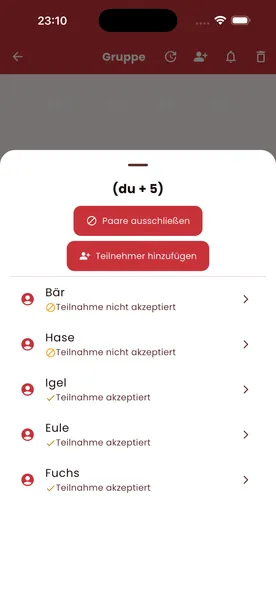
Exclude Pairs – For a Truly Surprising Draw
Sometimes you want to make sure that certain people don’t draw each other – partners, siblings, or people who already gave each other a gift last year.
1. Switch to the participant list
- Open the group and tap “Participants”
2. Open pair exclusions
- Tap “Exclude pairs”
3. Choose the combinations
- Select two people who must not draw each other
- Add as many exclusions as you like, for example for married couples or family members
4. Start the draw
- The app automatically takes all exclusions into account during the random draw
- Invalid pairings are never assigned
Benefits
- Stops partners from giving each other gifts
- Makes for a fair and genuinely surprising draw
- Works for both online and offline groups